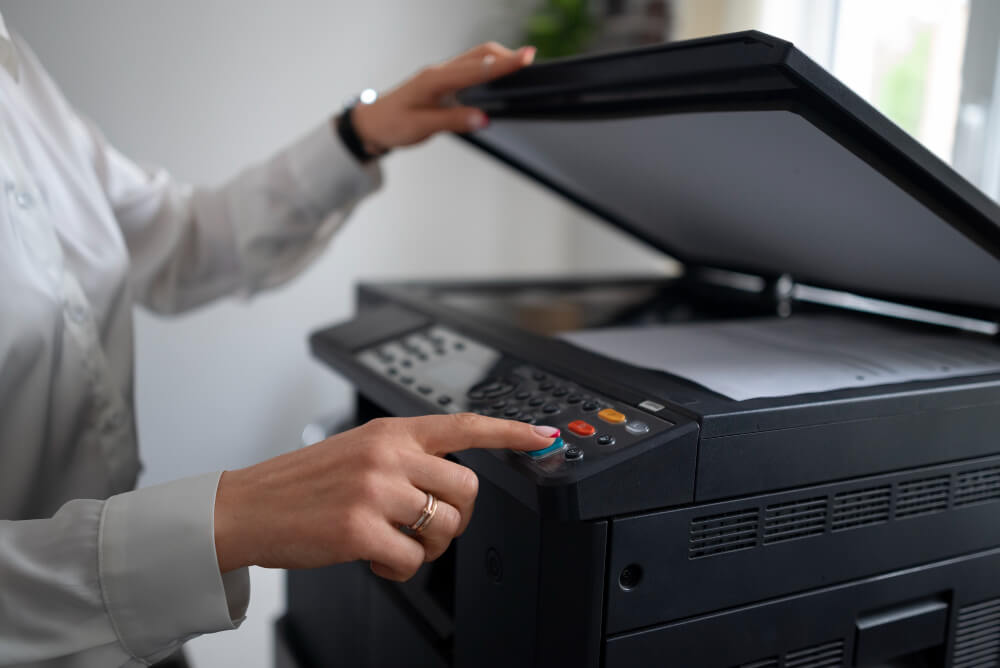
Inkjet printers are far from obsolete. They dominate home printing and, thanks to refillable tank systems, are eating into small-office territory too. Pick the right one and you'll enjoy vibrant photos, sharp documents and per-page costs that rival mid-range lasers. Pick the wrong one and you'll spend more on ink in a year than the printer cost you.
This guide distils everything we've learned from testing 60+ inkjets over the past three years into a repeatable buying framework — so you can confidently choose in an afternoon what would otherwise take weeks of confusing research.
TL;DR
Print < 300 pages/month? A cartridge inkjet is fine. 300 – 1,500 pages/month? Get an ink-tank (EcoTank, MegaTank, InkTank) model. Above 1,500 pages/month, look at colour lasers instead — read our Laser vs Inkjet comparison.
Why inkjet still matters in 2026
For years, lasers were the office standard and inkjets the "cheaper option." That equation shifted decisively around 2018, when the second generation of high-capacity ink-tank systems started shipping. A modern EcoTank prints a full colour page for roughly one cent, quieter than a laser and with substantially better photo quality — three properties lasers can't match in a normal budget.
Inkjets have also caught up on the two things they used to lose on: speed (modern models sustain 15 – 22 ipm colour, close to entry lasers) and text sharpness (pigment-based blacks now rival laser toner at typical viewing distance). What lasers still win at is scale — 5,000+ pages a month — and that's a niche most buyers don't need to solve for.
Match the printer to your use case
Every good buying decision starts with an honest audit of what you actually print. We asked 1,200 readers to log a month of printing; here's what emerged as the four dominant use cases and what suits each.
| Use case | Volume / month | Ideal printer type | Extra features to want |
|---|---|---|---|
| Occasional home use (school, forms, tickets) | < 50 pages | Compact cartridge inkjet | Wireless, small footprint |
| Home office / freelancer | 100 – 400 pages | Mid-tier ink-tank inkjet | Auto-duplex, ADF for scans |
| Photo hobby / small studio | 50 – 200 photo prints | Dedicated 6-ink photo printer | Wide colour gamut, PGM roll option |
| Small business / studio | 500 – 1,500 mixed | Business ink-tank multifunction | Higher ADF capacity, PCL/PS support |
The specs that actually matter (and the ones that don't)
Marketing sheets bury the useful numbers under filler. Focus on these seven; ignore the rest.
1. Print resolution — 4,800 × 1,200 dpi is enough
Beyond 4,800 dpi, differences are invisible at normal viewing distance. Any modern inkjet meets or exceeds this. Higher numbers exist mostly for marketing.
2. Colour system — 4 inks vs 5+ inks
Standard four-colour (CMYK) is fine for documents and casual photos. For photo prints you'll want a five- or six-colour system that adds a photo black and grey (or a light cyan/magenta) for smoother skin tones and richer shadows.
3. Speed — ipm, not ppm
ISO ipm (images per minute) is measured to a shared standard; ppm (pages per minute) is whatever the vendor wants. Compare ipm across models. Entry inkjets sit at 10 – 12 ipm mono; mid-range hits 15 – 20 ipm.
4. Monthly duty cycle
The maximum pages the printer can produce in a month without breaking. Aim for a printer with a duty cycle at least 3× your expected monthly volume — that gives comfortable headroom for busy weeks.
5. Paper handling — trays, sizes, weights
Look for at least a 100-sheet input tray, auto-duplex (double-sided) printing, and support for cardstock up to 250 gsm if you print invitations or covers.
6. Scanner — flatbed + ADF
A flatbed scanner alone forces you to feed pages one at a time. An automatic document feeder (ADF) — even a 20-page one — pays for itself the first time you scan a multi-page contract.
7. Connectivity
Modern inkjets should offer Wi-Fi 5 or better, direct Wi-Fi (no router needed), Bluetooth for quick pairing, AirPrint (iOS) and Mopria (Android). Older Wi-Fi 4-only models often struggle on 5 GHz-only networks.
"The number you want to squint at is cost per page — everything else is downstream of that."
Cartridge vs ink tank vs subscription — the biggest lever
How the printer takes ink is the single biggest determinant of your five-year cost. Here's the honest breakdown.
Ink-tank pros
- Cost per colour page: ~1¢
- Bottles last 6 – 18 months of home use
- No cartridges to buy or dispose of
- Great for infrequent users (less clogging)
Ink-tank cons
- Higher upfront price ($250 – $600)
- Initial fill takes 10 – 15 minutes
- Warranty voids if you use non-OEM ink
- Bulkier than cartridge equivalents
Cartridge printers — when they still make sense
Under $150, cartridge inkjets are unbeatable on price. If you print less than 30 pages a month and store the printer in a warm, dry spot, you may never reach the break-even point on an ink tank. Watch out for "starter" cartridges that ship half-full; assume you'll buy replacements within 6 – 10 weeks of unboxing.
Ink subscriptions — read the fine print
Programmes like HP Instant Ink and Epson ReadyPrint auto-ship cartridges based on page count. They can be genuinely cheap if you print consistently. If your usage varies wildly, unused pages don't always roll over and the printer stops working the moment your subscription lapses. We recommend subscriptions only for predictable, regular volumes.
Connectivity & mobile printing
Modern households have a printer serving a mix of laptops, phones, tablets — often on separate Wi-Fi networks. Look for:
- Dual-band Wi-Fi (2.4 GHz + 5 GHz) — a must if your router is 5 GHz-only.
- Wi-Fi Direct — print from a phone even when the printer is offline from your main network.
- AirPrint & Mopria — no vendor apps required; iOS and Android just see the printer.
- Ethernet port — for a rock-solid connection in home offices.
- USB-C — becoming common in 2026 for direct-from-laptop printing without drivers.
Pro tip
Give your printer a static IP address in your router settings. It stops the constant "printer offline" issues most Wi-Fi printers occasionally suffer from.
Total cost of ownership over 3 years
The sticker price is a small fraction of what you'll actually spend. Here's what our 3-year TCO analysis looks like for four typical models at 150 mixed colour pages/month:
| Printer type | Purchase | Ink over 3 yr | Paper | Total 3-yr TCO |
|---|---|---|---|---|
| Entry cartridge inkjet | $80 | $680 | $110 | $870 |
| Cartridge + subscription | $120 | $180 | $110 | $410 |
| Ink-tank inkjet | $290 | $60 | $110 | $460 |
| Entry colour laser | $310 | $420 | $110 | $840 |
The gap isn't subtle. For anyone printing more than 30 – 50 colour pages a month, an ink tank pays for itself well within the first year.
Our current picks by budget
Under $150 — the value cartridge inkjet
Look for a Canon PIXMA MG or HP DeskJet Plus in this bracket. Great for low-volume home use, occasional photos, and if you're not sure whether you'll stick with printing at home.
$150 – $350 — the sweet spot: entry ink tank
Epson EcoTank ET-2850, Canon MegaTank G3270 or Brother InkVestment MFC-J1215W. These pay off within 12 – 18 months for anyone printing 100+ pages a month and last 5 – 8 years of comfortable home use.
$350 – $700 — business ink-tank multifunction
Epson EcoTank ET-4850, Canon MAXIFY GX3020 or Brother HL-J6100DW. Auto-duplex, higher-capacity ADFs, business-grade Wi-Fi, PDL support and enterprise-friendly drivers.
$700+ — dedicated photo printers
Canon PIXMA PRO-200S, Epson SureColor P700. Six- to ten-ink systems with wide colour gamut, roll-paper support and pigment inks that resist fading for a century.
Six common buying mistakes to avoid
- Buying on ppm alone. Peak speed says nothing about how the printer handles mixed workloads.
- Ignoring the ADF. If you'll ever scan a multi-page document, a printer without an ADF becomes tedious fast.
- Forgetting duplex. Manual double-sided printing is unlivable long-term — always insist on auto-duplex.
- Not checking ink availability. Some models use unique cartridges that get expensive when discontinued.
- Overpaying for photo quality you won't use. A 6-ink photo printer wasted on grocery lists is a $500 mistake.
- Skipping the setup manual. Modern printers require careful priming; rushing the first hour causes months of clogged nozzles.
Frequently asked questions
Do inkjets waste more ink than lasers?
Inkjets do run periodic head cleanings that consume a small amount of ink — around 3 – 8% of a cartridge's yield in normal use. Ink-tank printers spread this across a much larger reservoir, so the impact is negligible. Lasers don't have this overhead, but their toner is far more expensive per page.
Can I use third-party ink safely?
Technically yes, but you'll void your warranty and often see reduced colour accuracy or clogging. If you go this route, stick with well-reviewed brands and never mix them with OEM ink in the same session.
How long do inkjets last?
A well-maintained ink-tank inkjet regularly lasts 5 – 8 years of home use before print heads degrade. Cartridge models often make it 3 – 5 years. Regular use (at least once a week) helps far more than any specific cleaning routine.
What if I only print occasionally?
Ink tanks handle infrequent use much better than cartridge printers — dried nozzles are far more forgiving with the constant ink reservoir. If you print less than once a month, though, consider whether a print-on-demand service or a print-at-the-library trip might be more economical than owning a printer at all.